An LLM writes the scene-by-scene script, a diffusion (text-to-image) model draws each scene, neural text-to-speech reads it aloud, and Remotion with FFmpeg assembles the video, with review steps in between. The student received the web app and code, an IEEE-format paper, journal- and Springer-format versions, a thesis and a viva guide.
What is this project, at a glance?
| Item | Details |
|---|---|
| Level | M.Tech |
| Domain | Generative AI, multimodal content generation |
| Problem type | Text-to-video generation: one topic in, a narrated video out |
| Core methods | LLM script writing with validated JSON output; diffusion (text-to-image) scenes kept consistent with an anchor image; neural TTS with a fallback chain; timing computed from measured audio; pan-and-zoom motion and music |
| Stack | Next.js, React and TypeScript; Zod validation; REST API routes per stage; Remotion and FFmpeg rendering; swappable LLM, image and TTS providers; Python for the evaluation and fine-tuning scripts |
| Deliverables | Web app and source code, IEEE-format paper, journal- and Springer-format papers, M.Tech thesis, technical report, viva guide, sample videos |
What problem does this AI video generator project solve?
Making a short story or explainer video normally means writing a script, finding pictures, recording a voice-over and editing it all to time. Text to video generation using AI can skip those steps with end-to-end video models, but they give you little control over the script and cost far more per second of footage.
This project automates the whole chain while keeping a person in charge at each step. Three engineering problems shaped the design:
- Visual consistency. When each scene image is generated separately, the main character changes face and clothes from scene to scene. A text prompt alone does not carry identity across generations.
- Audio-visual sync. Each scene must stay on screen exactly as long as its narration, or sentences get cut off.
- Provider reliability. The pipeline depends on outside AI services, and any of them can rate-limit, run out of credit or retire a model.
How does the pipeline turn a prompt into a video?
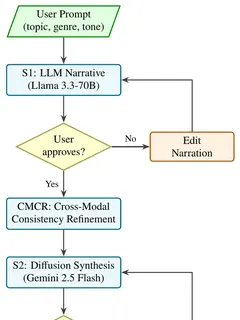
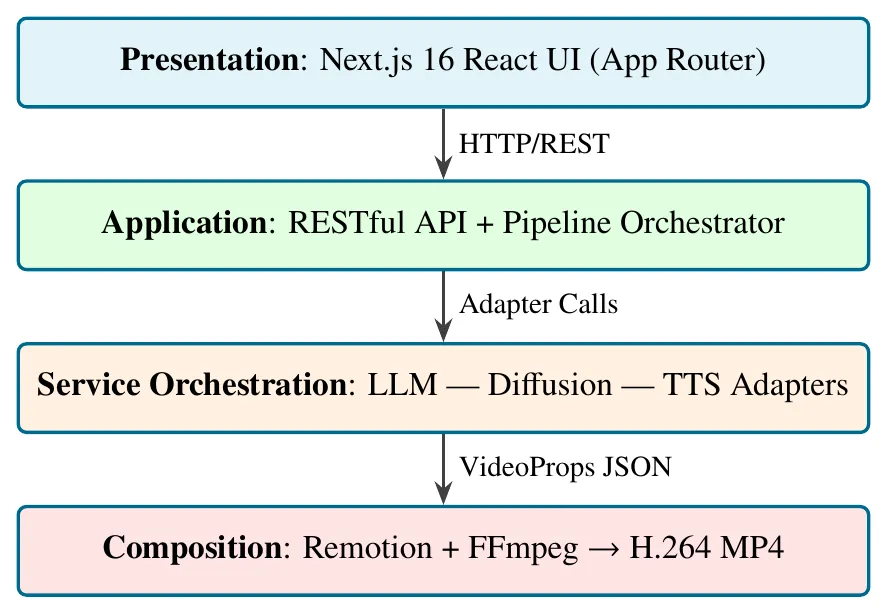
The system is a chain of stages. Each stage is its own API route, so it can be retried alone, and the user reviews the output before the next, more expensive step runs.
- Script. An LLM writes a title and, for every scene, one or two lines of narration plus an image description, returned as JSON and validated before use.
- Review. The user reads the script and edits any line before images are generated.
- Consistency refinement. Scene descriptions become shot briefs, and a fixed description of the cast, wardrobe and setting is added to every image prompt.
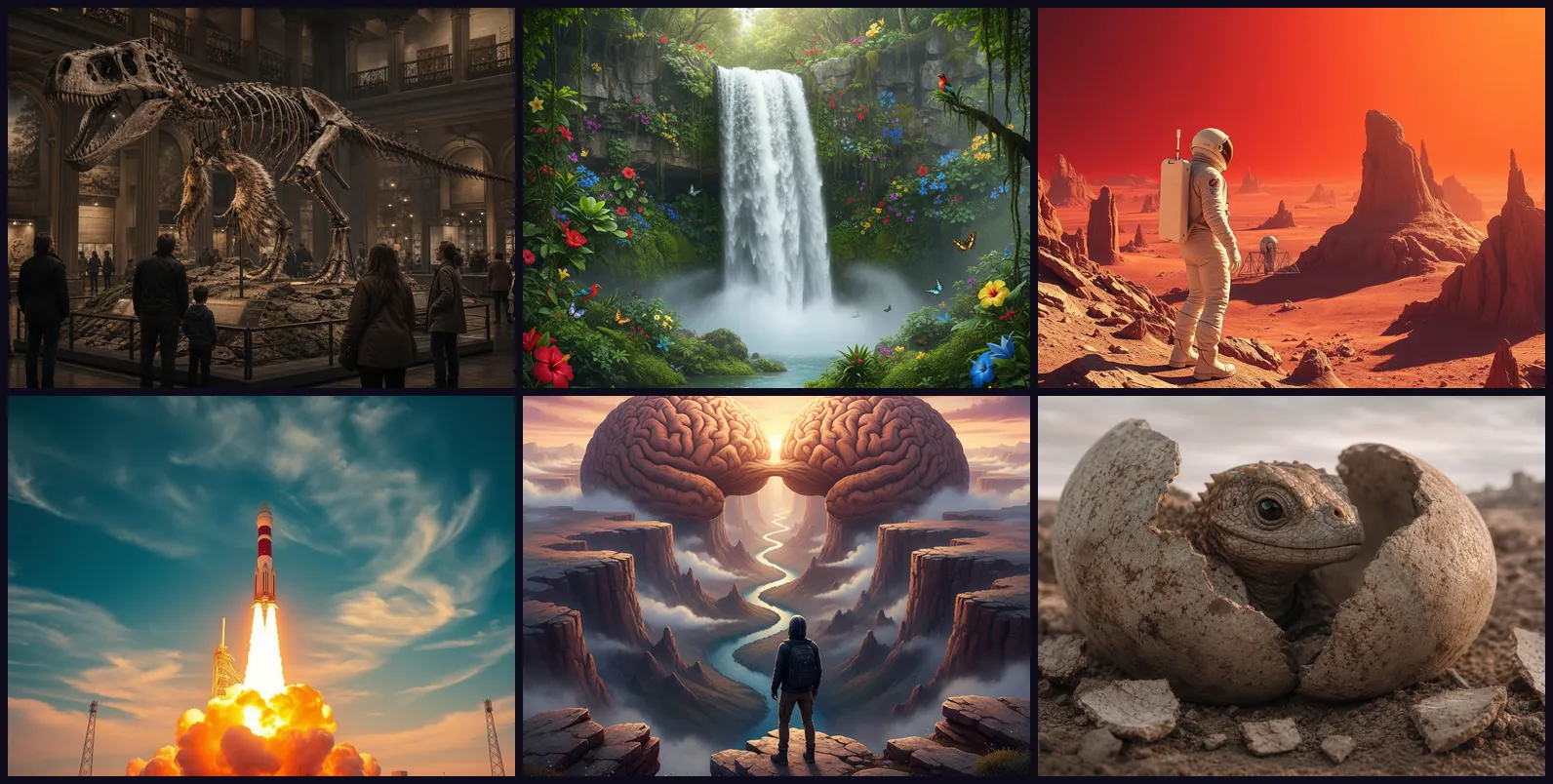
- Scenes. The first scene is generated as an anchor; the others are generated in parallel with that image attached as a reference. Any scene can be regenerated.
- Narration. Text-to-speech voices each line through a chain of providers and records the real length of each clip.
- Timing and render. Frame counts come from the measured audio. Remotion renders the scenes with pan-and-zoom motion and music, and FFmpeg encodes the MP4.
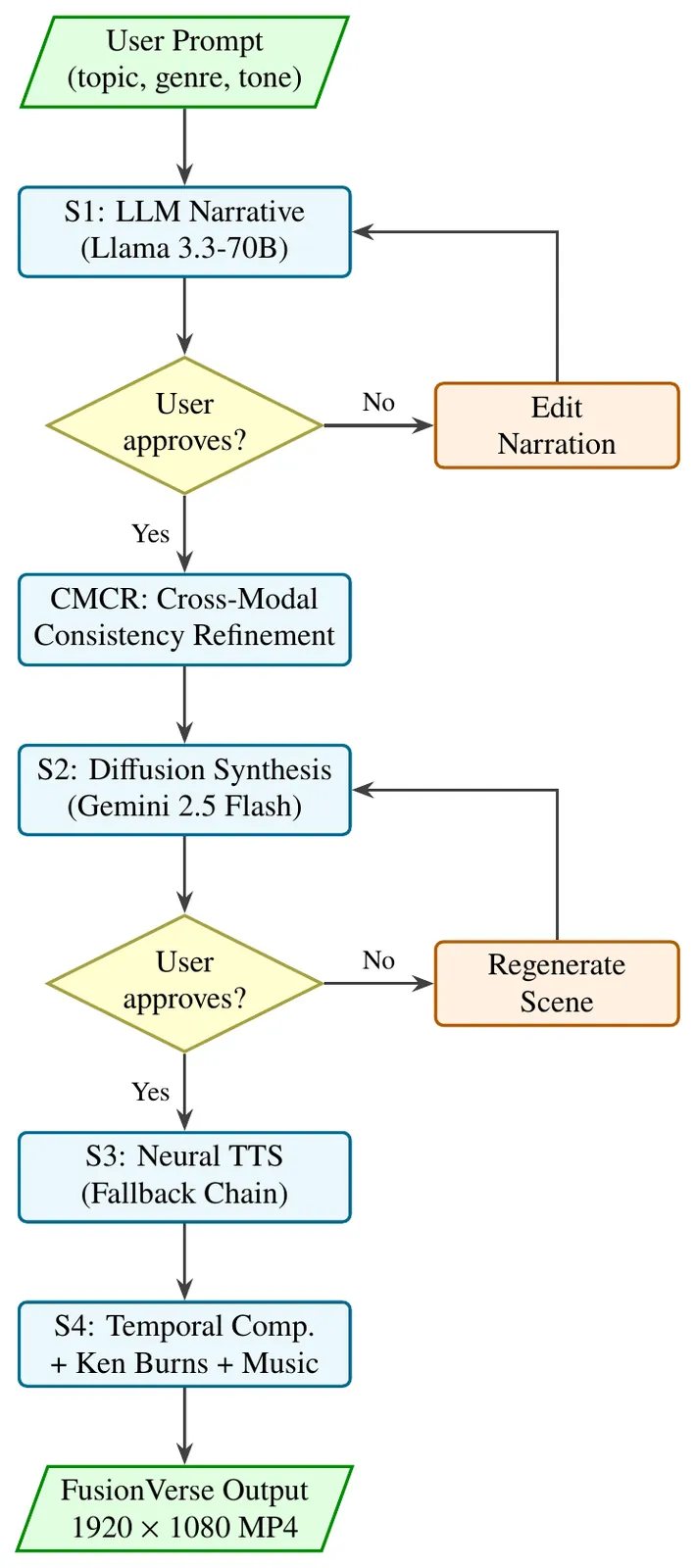
The version described in the paper used a Llama 3.3 70B model for the script and a Gemini image model for the scenes, as the flowchart shows. Every provider sits behind a shared adapter interface, so the code can switch the LLM, image or voice service without touching the pipeline, and a mock mode runs the whole flow with no API calls.
What did we build?
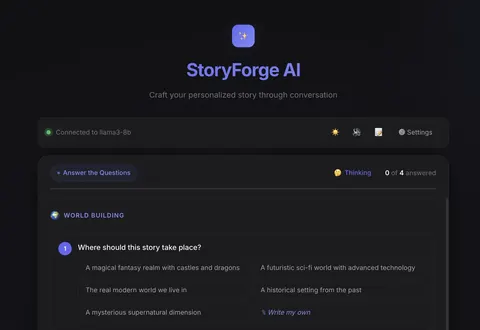
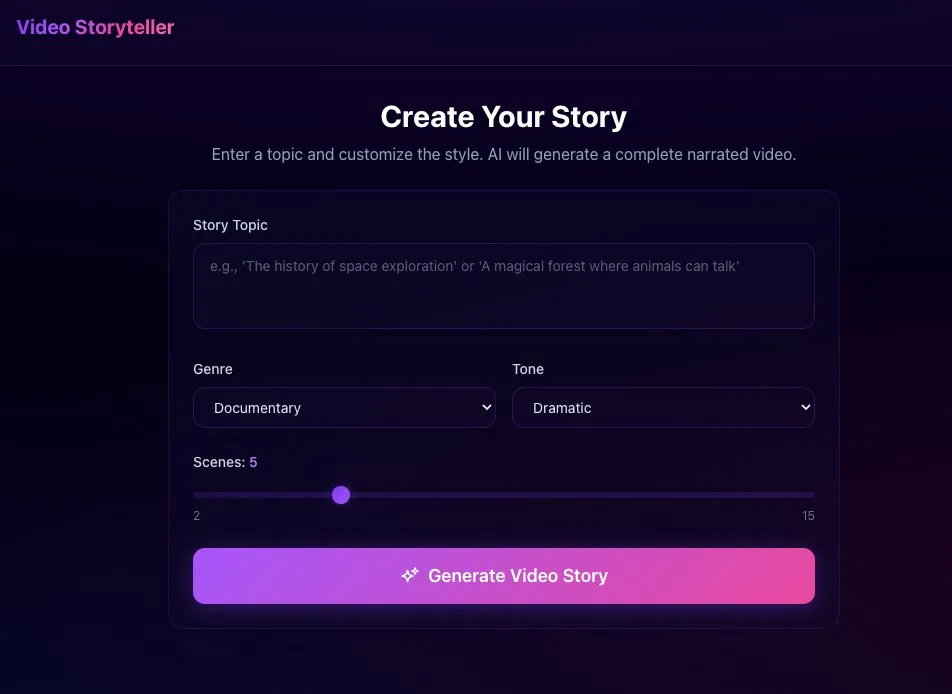
The web app runs the pipeline as a short wizard. It starts with one form: a topic, a genre, a tone and a scene count, with narration available in English, Hindi and Marathi.
- Review screens for the script and for every generated scene, with inline editing and one-click regeneration.
- An in-browser preview player, a server-side render with progress updates, and an MP4 download.
- Fallback chains for images and speech that remember providers which fail permanently (a bad key, no credit) but never drop a provider over a temporary rate limit.
- A label on every image naming the provider that made it, and a strict mode that fails loudly instead of quietly using a lower-quality free fallback.
How was it evaluated, and what did the results show?
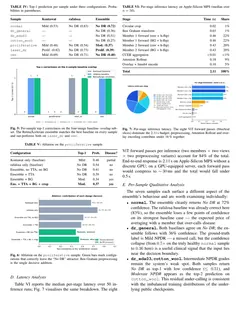
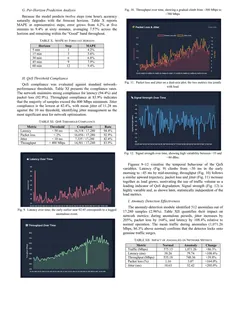
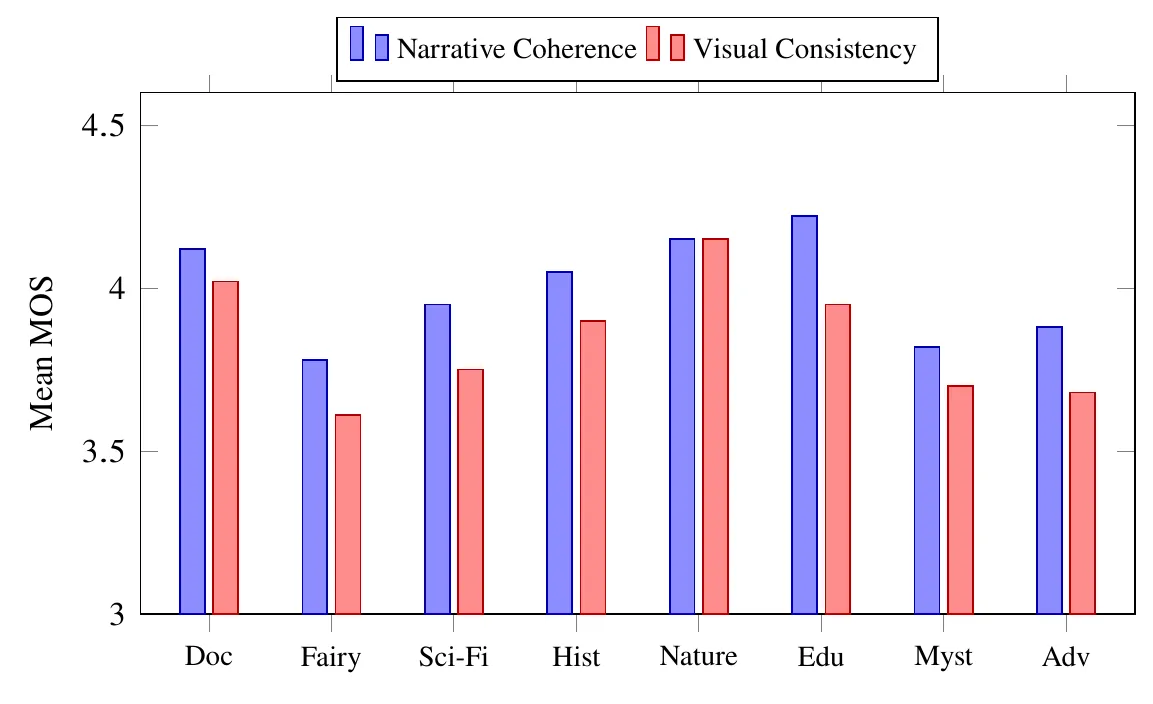
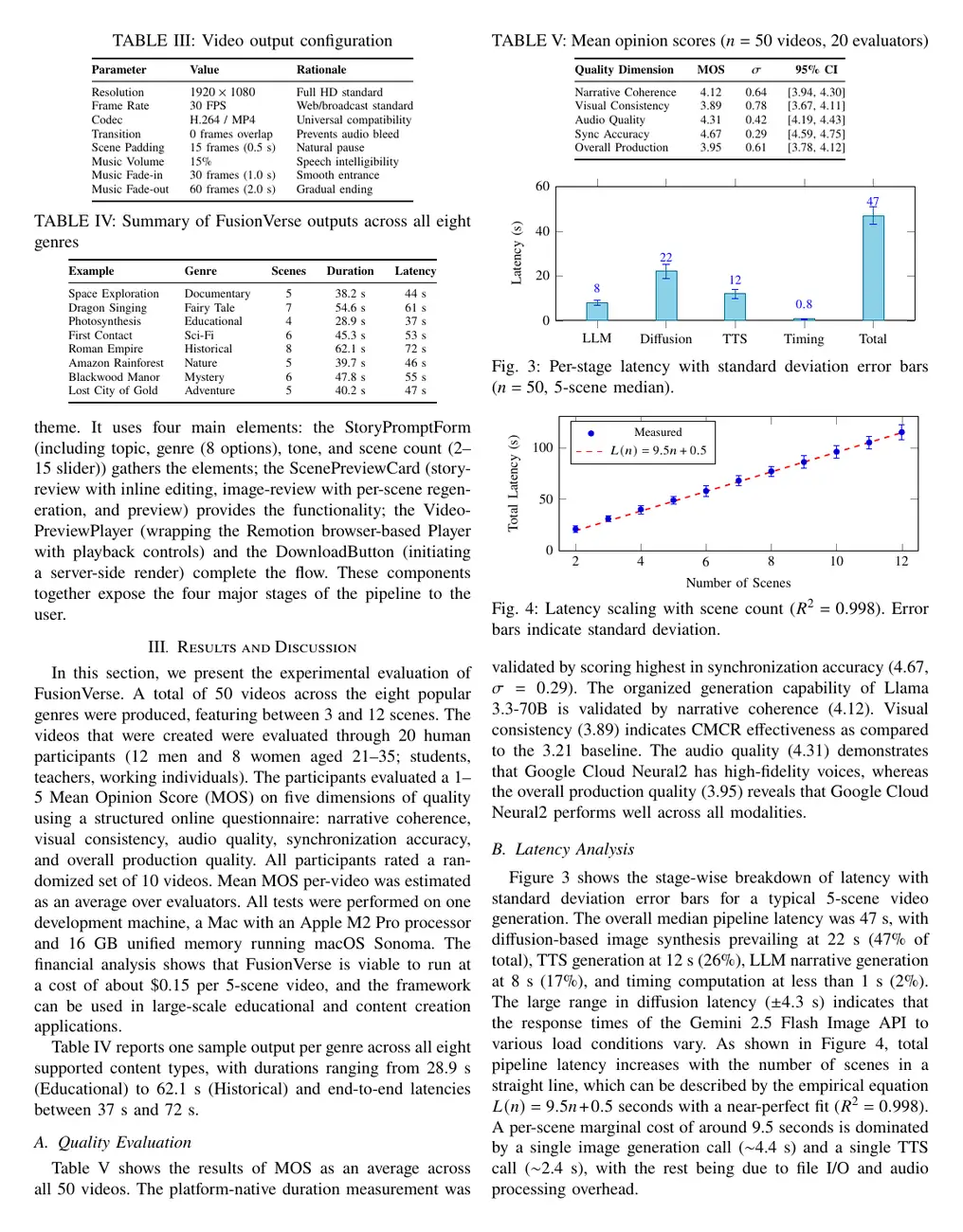
Evaluation had two parts. Human raters scored generated videos across eight genres on narrative coherence, visual consistency, audio quality, sync accuracy and overall production, reported as mean opinion scores. The pipeline was also timed stage by stage and at different scene counts.
- Sync accuracy rated highest, because scene length comes from the measured narration rather than an estimate.
- Visual consistency rated lowest and varied most by genre: nature and documentary stories held together best, fairy tales and adventure stories least.
- An ablation with and without the consistency-refinement step showed that the step clearly improved rated coherence and consistency.
- Image generation was the slowest stage, and total time grew almost in a straight line with the number of scenes, so the time for a longer video is predictable.
The write-up is also honest about limits: pan-and-zoom over still images is not true camera motion, consistency is enforced against a single anchor frame, and image generation dominates both time and cost. The project also set up a small-model experiment, with a teacher-generated dataset and a LoRA fine-tuning notebook for a compact open model that could write scripts offline; the full training run is left as future work.
Shown with student, guide and institute details removed.
What did the student receive?
| Deliverable | What it contains |
|---|---|
| Web app and source code | Next.js app, pipeline stages, provider adapters with fallbacks, Remotion video composition, mock mode for offline demos |
| IEEE-format paper | Two-column paper with the method, quality ratings, latency analysis and an ablation of the consistency step |
| Journal- and Springer-format papers | The work reformatted for a journal, and a focused paper on keeping characters consistent across scenes |
| M.Tech thesis and technical report | LaTeX thesis, plus a technical report and architecture notes covering design decisions and measured performance |
| Viva guide | Plain-language walkthrough of every stage, key numbers and likely examiner questions with answers |
| Sample outputs | Rendered MP4 videos and generated scene images for the demo |
Stage reports, a black book or slides can be added for your own project through our dissertation, report and PPT support.
How could you adapt this project to your own topic?
The same pipeline carries over to many generative AI M.Tech topics. These are starting points to discuss with your guide.
The ideas below are suggestions. Our delivered work is in the case studies.
- Topic ideaRegional-language explainer videosShort lessons on school topics in Indian languages, with narration quality rated by native speakers.
- Topic ideaAn automatic consistency scoreMeasure style and character identity across scenes with image and face embeddings, then check the score against human ratings.
- Topic ideaReal motion instead of stillsAdd a short image-to-video model per scene and compare it with pan-and-zoom on cost, time and rated quality.
- Topic ideaA small offline script writerFine-tune a compact open LLM with LoRA on teacher-written scripts and compare it with the hosted model.
A lighter version, with fewer stages and a single provider, can also be sized for B.Tech: see final year projects for CSE. For more M.Tech scope, see M.Tech projects.
Frequently asked questions
Can I get a similar text-to-video project for my M.Tech?
Yes. We scope a text to video generator project with you in the free consultation around your own topic, base paper and your guide’s requirements, so the result is your project rather than a copy of this one. The quote lists each deliverable: code, paper, thesis and viva preparation.
Which models and datasets does it use?
It calls pretrained, hosted models through APIs: an LLM for the script, a text-to-image model for the scenes and a text-to-speech service, each behind a swappable adapter. The core pipeline needs no training dataset; the evaluation used human ratings of generated videos and timing measurements.
Do I need a GPU or paid API keys?
No GPU is needed, because the heavy models run as hosted services and the app runs on a normal laptop. Good-quality image generation usually needs a paid API key that is billed per image; a mock mode runs the whole pipeline without any API calls for development and demos.
What will I need to explain in the viva?
The order of the stages and why narration must finish before timing, how the anchor image and the fixed cast description keep characters consistent, what happens when a provider fails, how Remotion turns React components into video frames, and how the rating study was designed. The student’s plain-language viva guide covers each of these points.
Can this project become a research paper?
This one did: it produced an IEEE-format paper plus journal-format and Springer-format versions, built around consistency across independently generated scenes. We prepare the paper and help you choose venues, but acceptance is decided by the journal or conference.